
 {% endhint %}
{% hint style="success" %} This user manual is based on the default settings and operating system of AutoPro X. The features and additional services available may vary depending on the vehicle and mobile operating system version.
{% endhint %}
{% hint style="danger" %}
**Caution** - Navigation System Software Update
After the recent software update of the vehicle's navigation system, a connection error with AutoPro X has occurred. When updating the vehicle's system software, make sure to **disconnect the cable** from AutoPro X before proceeding!
[**Look into Initial Screen Access Issues >**](/kor/eng/entry_issue.md)
{% endhint %}
### **What is AutoPro X?**
AutoPro X is a product that enables wireless connection to [**Android Auto**](https://www.android.com/intl/ko_kr/auto/) and [**Samsung DeX**](https://www.samsung.com/sec/apps/samsung-dex/), allowing you to use them on your vehicle display. With the AutoPro X (DeX) feature, you can enjoy both navigation and OTT (video) content simultaneously.
AutoPro X utilizes Samsung DeX technology, which enables your phone’s screen to function on your car's infotainment system. It’s not exactly "projecting," since you can still use your phone for other tasks, like navigation, at the same time.
Samsung DeX transforms compatible Samsung smartphones and tablets into a desktop-like experience, allowing you to connect to external displays, like monitors or TVs. With Samsung DeX, you can use your car's infotainment system like a laptop, accessing all apps from the Google Play Store. For example, you can watch YouTube, Netflix, Disney+, and Hulu or play mobile games. You can also stay connected on social media platforms like Instagram and Facebook.
{% embed url="
{% endhint %}
{% hint style="success" %} This user manual is based on the default settings and operating system of AutoPro X. The features and additional services available may vary depending on the vehicle and mobile operating system version.
{% endhint %}
{% hint style="danger" %}
**Caution** - Navigation System Software Update
After the recent software update of the vehicle's navigation system, a connection error with AutoPro X has occurred. When updating the vehicle's system software, make sure to **disconnect the cable** from AutoPro X before proceeding!
[**Look into Initial Screen Access Issues >**](/kor/eng/entry_issue.md)
{% endhint %}
### **What is AutoPro X?**
AutoPro X is a product that enables wireless connection to [**Android Auto**](https://www.android.com/intl/ko_kr/auto/) and [**Samsung DeX**](https://www.samsung.com/sec/apps/samsung-dex/), allowing you to use them on your vehicle display. With the AutoPro X (DeX) feature, you can enjoy both navigation and OTT (video) content simultaneously.
AutoPro X utilizes Samsung DeX technology, which enables your phone’s screen to function on your car's infotainment system. It’s not exactly "projecting," since you can still use your phone for other tasks, like navigation, at the same time.
Samsung DeX transforms compatible Samsung smartphones and tablets into a desktop-like experience, allowing you to connect to external displays, like monitors or TVs. With Samsung DeX, you can use your car's infotainment system like a laptop, accessing all apps from the Google Play Store. For example, you can watch YouTube, Netflix, Disney+, and Hulu or play mobile games. You can also stay connected on social media platforms like Instagram and Facebook.
{% embed url="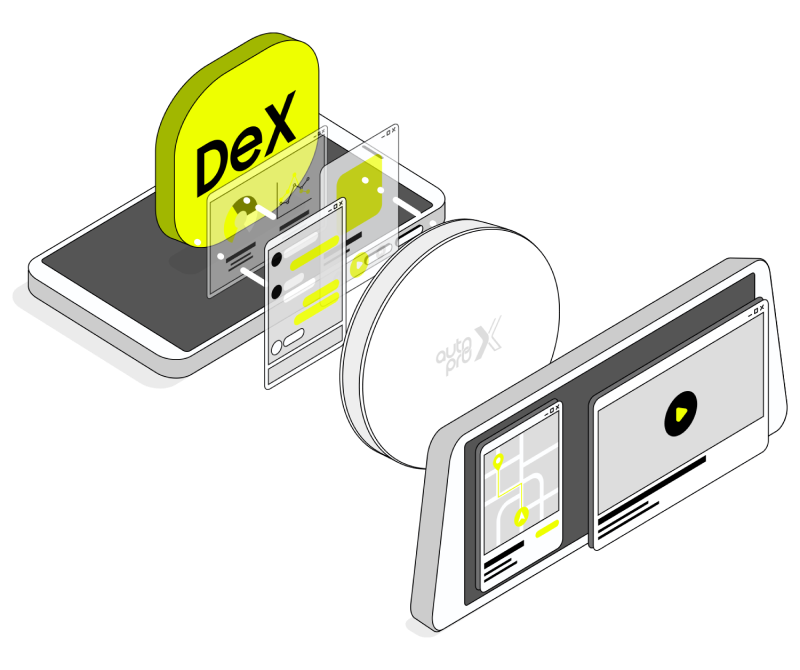
DeX - AutoPro X - HeadUnit
| Chat Support |
| |
| Operating Hours | Weekdays: Mon-Fri 10:00 AM - 5:00 PM (GMT+9) | Closed Weekends, Public Holidays, Company-designated holidays. |
 ](https://www.messenger.com/t/235459329654751/?messaging_source=source%3Apages%3Amessage_shortlink\&source_id=1441792\&recurring_notification=0)
{% endhint %}
---
# Agent Instructions
This documentation is published with GitBook. GitBook is the documentation platform designed so that both humans and AI agents can read, navigate, and reason over technical content effectively. Learn more at gitbook.com.
## Querying This Documentation
If you need additional information that is not directly available in this page, you can query the documentation dynamically by asking a question.
Perform an HTTP GET request on the current page URL with the `ask` query parameter, and the optional `goal` query parameter:
```
GET https://autoprox.gitbook.io/kor/eng/home.md?ask=
](https://www.messenger.com/t/235459329654751/?messaging_source=source%3Apages%3Amessage_shortlink\&source_id=1441792\&recurring_notification=0)
{% endhint %}
---
# Agent Instructions
This documentation is published with GitBook. GitBook is the documentation platform designed so that both humans and AI agents can read, navigate, and reason over technical content effectively. Learn more at gitbook.com.
## Querying This Documentation
If you need additional information that is not directly available in this page, you can query the documentation dynamically by asking a question.
Perform an HTTP GET request on the current page URL with the `ask` query parameter, and the optional `goal` query parameter:
```
GET https://autoprox.gitbook.io/kor/eng/home.md?ask=